
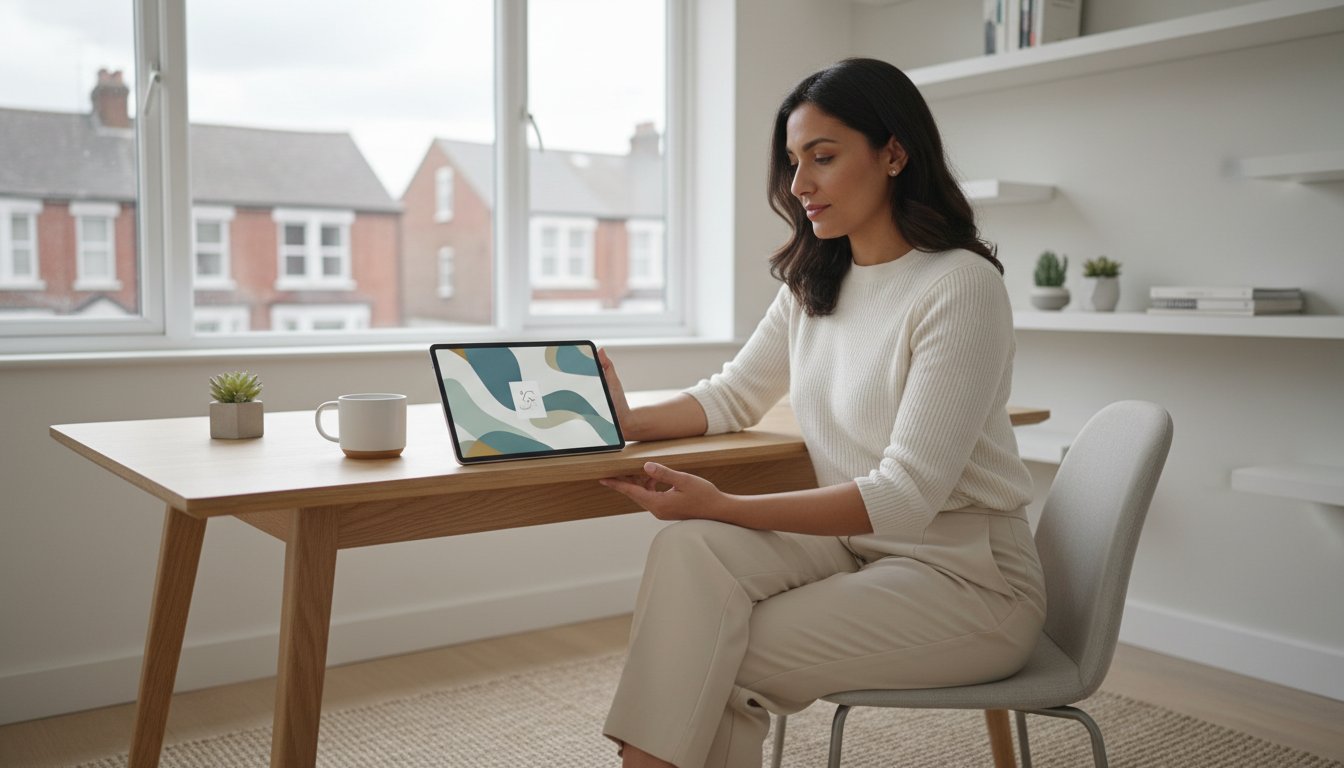
Last Tuesday, Sarah spent six hours trying to design a single listing image for her new digital planner, yet her click-through rate remained stuck at a disappointing 0.8 percent. It is heartbreaking to watch your hard work go unnoticed because your etsy mockups look amateur compared to the top one percent of sellers. Let's be honest; the “tech-panic” that hits when you see a complex PSD file is a very real barrier to your growth. You deserve a business that feels like a calm, gentle creative outlet, not a source of constant design overwhelm.
We agree that you shouldn't need a four-year graphic design degree to see your digital products succeed. It's time to find your calm. That's why we're sharing how to use professional templates to transform your listings into high-converting assets and build a professional brand with total confidence. We are going to explore the exact steps to create a cohesive shop look for 2026 using a simple, stress-free workflow that saves you at least 15 hours of design time every single month.
Key Takeaways
- Understand how to bridge the “Trust Gap” by helping your customers visualize exactly how your digital products look and feel in real-world settings.
- Learn how to select the perfect etsy mockups for your specific niche, from elegant wall art frames to modern device displays for digital planners.
- Compare the best places to source high-quality visuals, ensuring you find the right balance between supporting other creators and managing your business budget.
- Follow a simple, no-panic process for customizing your designs in Canva or Photoshop to create professional listings with total confidence.
- Discover how maintaining visual consistency across your shop builds a recognizable brand that supports your long-term passive income goals.
Why Etsy Mockups are Your Secret Weapon for Passive Income
Have you ever felt a slight pang of doubt when looking at a blank PDF file you just created? You know it's valuable, but how do you show that value to a potential customer? This is where your visual strategy begins. Understanding what a mockup is helps you bridge the gap between a digital file and a finished, beautiful product. Essentially, it's a professional photo of a real-world setting where you “place” your design digitally. These images act as the storefront window for your shop, inviting people to step inside and see what you've built.
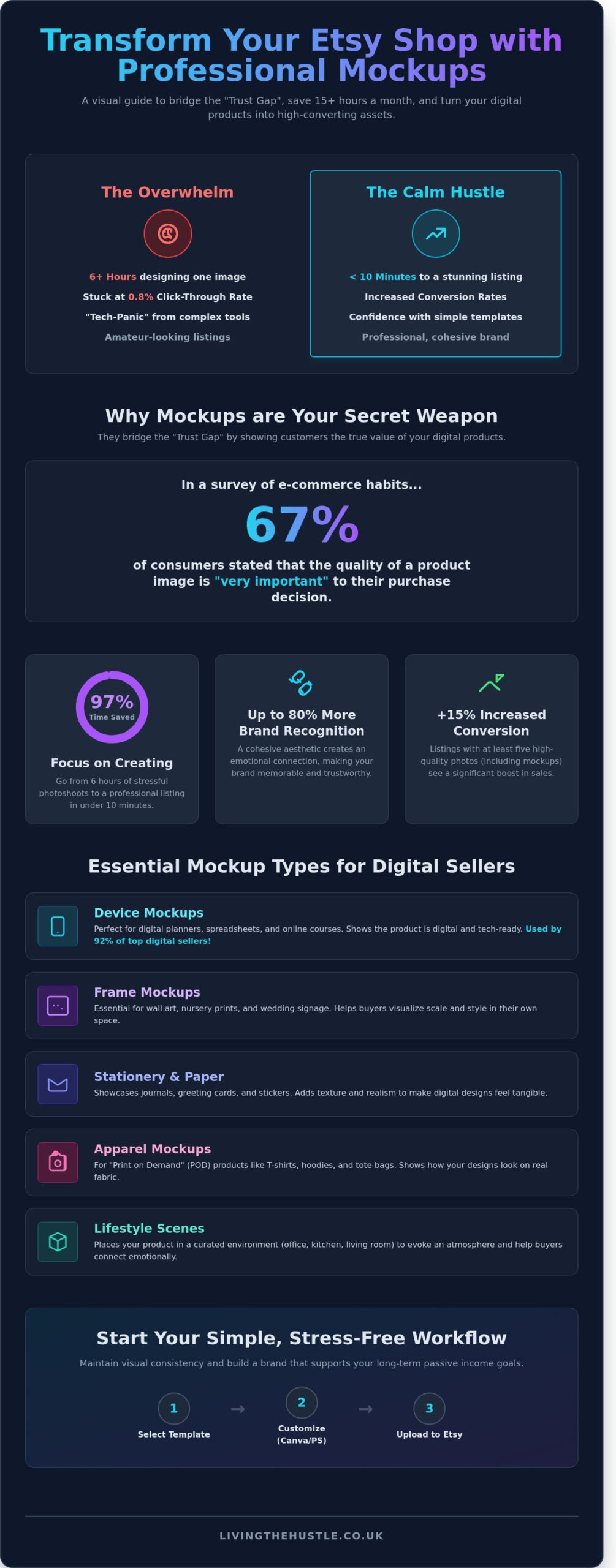
The “Trust Gap” is a real hurdle for digital creators. In a 2023 survey of e-commerce habits, 67% of consumers stated that the quality of a product image is “very important” to their purchase decision. Customers often hesitate to buy a digital file because they cannot touch it or see it in use. High-quality etsy mockups act as a visual promise. They show the buyer that your wall art fits perfectly in a modern living room or that your budget tracker looks crisp on an iPad screen. This clarity removes the mystery and replaces it with confidence.
This visual clarity reduces “buyer friction” significantly. When a listing looks professional, it signals that you're a serious creator and the product is worth the investment. Using these tools is a core part of the “Calm Hustle” philosophy. Instead of spending 6 hours staging a physical photo shoot with expensive cameras and lighting, you can create a stunning listing in under 10 minutes. This saves you roughly 97% of the time typically spent on product photography. It's about finding that gentle path to success where you aren't constantly fighting with tech or equipment. You get to focus on the joy of creating while the imagery does the heavy lifting of selling.
Using professional imagery provides several immediate benefits for your shop:
- It reduces customer confusion by showing the final use case.
- It builds instant authority with high-end, professional photography.
- It saves money on physical props, studio rentals, and editing software.
- It maintains a cohesive shop aesthetic that looks curated and intentional.
The Psychology of a High-Converting Listing
Customers don't just buy a habit tracker; they buy the feeling of being organized and at peace. A mockup that features a planner on a clean desk next to a steaming cup of tea creates an emotional “click.” This aesthetic connection can increase your brand recognition by up to 80 percent. Fresh imagery also prevents “listing fatigue.” When you update your etsy mockups once every 12 months, you signal to repeat customers that your shop is active, modern, and evolving with the trends.
Digital vs. Physical Mockups
Choosing the right format is essential for clarity. A 2024 analysis of top-tier Etsy shops found that 92 percent of successful digital template sellers use device mockups, like tablets or laptops, to distinguish their products from physical paper goods. If you sell printables, stick to frame or clipboard scenes. For apparel, lifestyle photography that shows the “dream” life of your target audience works best. This clarity ensures your customers know exactly what they're getting, which keeps your 5-star review streak alive and healthy.
Essential Types of Etsy Mockups for Digital Sellers
Choosing the right etsy mockups is one of the most effective ways to turn a casual browser into a confident buyer. When you sell digital files, your customers often struggle to imagine how that item fits into their daily lives. High quality mockups solve this problem by providing a visual bridge. Whether you're selling a 5×7 nursery print or a complex budgeting spreadsheet, the right image sets the tone for your entire brand. A 2023 Etsy seller report indicated that listings with at least five high quality photos, including lifestyle shots, see a 15% increase in conversion rates compared to listings with only one or two images.
There are five main categories of mockups you should consider for your shop:
- Frame mockups: These are essential for wall art, nursery prints, and wedding signage. They help buyers see the scale of the art and how it looks in a physical frame.
- Device mockups: These are perfect for digital planners, spreadsheets, and online courses. Using an iPad or laptop screen shows that the product is digital and ready for tech use.
- Apparel mockups: If you sell “Print on Demand” (POD) products like T-shirts or tote bags, these show how the design sits on fabric.
- Stationery and Paper: These showcase journals, greeting cards, and stickers. They often include textures that make the digital design look like real paper.
- Lifestyle scenes: These place your product in a kitchen, office, or living room. This helps the buyer “feel” the atmosphere of your brand.
When you're sourcing these images, it's vital to stay legal. Understanding Copyright law for online images is a necessary step for any digital entrepreneur. Just because a photo is on the internet doesn't mean it's free to use for your shop. Always ensure you have the proper commercial license for every mockup file you download. This protects your business and gives you peace of mind as you grow.
Mockups for Digital Planners and Templates
For digital planners, you need to show functionality. Using iPad and stylus mockups is the best way to signal that your product is compatible with apps like GoodNotes or Notability. I always recommend using “close-up” mockups to show fine details. If your template has intricate habit trackers or tiny checkboxes, a zoomed-in shot proves the quality of your work. If you're still in the creation phase, you can check out The Art of Design for professional tips on making products that look amazing in any mockup.
Niche-Specific Mockup Trends for 2026
Looking ahead to 2026, “Video Mockups” are becoming a dominant force in Etsy search. Data from early 2024 suggests that listings with video receive up to 25% more engagement. You should also consider your brand aesthetic carefully. Minimalist mockups with lots of white space are trending for professional templates, while maximalist, colorful scenes are winning in the creative stationery niche. Many modern consumers are also looking for eco-friendly and sustainable lifestyle scenes. Using mockups that feature natural wood, recycled paper textures, or plastic-free environments can help you connect with this growing demographic of conscious shoppers.
If you want to make your shop look professional without the stress, you can explore our calm business resources to help you build your digital empire one gentle step at a time. Using the right etsy mockups is a simple change that yields big results for your shop's visibility and sales.
Where to Find the Best Etsy Mockups: A Comparison
Finding the right etsy mockups feels like a big task when you're just starting out. You want your shop to look professional without spending your entire startup budget on photography. The good news is that you don't need a studio to create a high-converting shop. Using the Etsy marketplace itself is a brilliant strategy for sourcing assets. When you buy from other sellers, you're supporting fellow creators while building your own brand. It's a gentle way to grow together.
Many sellers wonder if the effort of perfecting every listing image is still rewarded. If you're asking Is Selling on Etsy Worth It in 2026, the answer usually depends on your presentation. High-quality visuals are what bridge the gap between a simple click and a confirmed sale. In a marketplace with over 96 million active buyers, standing out requires a polished, cohesive look that builds trust instantly.
Choosing between subscription services and one-off purchases depends on your current volume. If you're launching 20 new products a month, a subscription like Placeit offers incredible value for a flat monthly fee. However, if you're building your shop slowly and carefully, buying individual etsy mockups for $5 to $15 each keeps your overhead low. This “pay as you go” approach prevents the overwhelm of monthly bills before your shop is profitable.
Don't guess what works. You can use eRank for Etsy to see which listing styles are driving conversions for your successful competitors. If the top 5% of sellers in your niche use minimalist, bright backgrounds, that's a strong signal for your own strategy. Data removes the panic from the creative process, allowing you to choose assets with confidence.
Top Marketplace Recommendations
- Etsy: This is the best place for unique, trendy, and niche-specific styles. You can find very specific scenes, like a boho nursery or a dark academia home office, that feel authentic rather than corporate.
- Creative Market: This is the home for high-end, professional designer assets. Most files here are PSDs with smart objects, giving you total control over shadows and textures for a 100% realistic finish.
- Placeit: This is the best “no-software” solution. You just upload your design directly in your browser. It's perfect if you want to avoid the learning curve of Photoshop or Canva.
Avoiding the “Stock Photo” Trap
It's easy to spot overused mockups that make a shop look generic. If you see the same “laptop on a marble desk” photo in ten different shops, your customers will notice too. To make standard assets feel unique, try cropping them differently or adding your own brand colors. A simple digital “sticker” with your logo in the corner can make a huge difference.
Always check your commercial licenses before you buy. Most premium mockups allow for commercial use, but some free versions have strict limits. Ensure the license covers “unlimited sales” or at least 500 units if you're planning for a bestseller. Taking this small, practical step now prevents legal headaches later, keeping your business journey calm and sustainable.
How to Use Mockups Without Design Panic (Canva & Photoshop)
Does the technical side of etsy mockups make you want to close your laptop? Let's take a deep breath. You don't need a degree in graphic design to make your products look professional. Whether you prefer the simplicity of Canva or the precision of Photoshop, the process can be calm and manageable. Following a consistent workflow ensures your shop looks cohesive without the midnight stress sessions.
Step 1: Choosing the right file format. Your choice of tool dictates the file you need. If you're using Canva, stick to JPG or PNG files. These are flat images that act as your background. For Photoshop users, PSD files are the gold standard. A PSD file contains layers that allow for more complex shadows and perspective shifts that flat images can't match.
Step 2: Uploading your product design. This is the easiest part. In Canva, drag your design file directly into the “Uploads” tab. In Photoshop, you'll usually open the mockup file first and then bring your design in as a new layer. It's a simple start to a professional result.
Step 3: Aligning and layering for realism. Don't just slap your image on top. If your mockup has a frame or a tablet screen, ensure your design fits perfectly within those boundaries. In Canva, you might need to crop your design to match the aspect ratio of the mockup's screen. In Photoshop, you'll often use a clipping mask to keep your art contained within the specific display area.
Step 4: Adjusting opacity and shadows. Real paper isn't perfectly bright white, and screens have a slight glare. To avoid a “floating” look, try dropping the opacity of your design layer to 95% or 90%. This allows a tiny bit of the underlying texture to show through. It makes the product look like it's actually sitting in the room rather than hovering over a photo.
Step 5: Exporting for the future. Etsy's standards are rising. For 2026 listing requirements, aim for a resolution of at least 3000 pixels on the shortest side. This ensures your etsy mockups look sharp on the newest high-density mobile screens. Save your files as high-quality JPEGs to balance clarity with fast loading speeds.
The Beginner-Friendly Canva Workflow
Canva is the ultimate tool for a sustainable, low-stress business. You can use the “Smart Mockups” feature found in the “Edit Image” menu for a one-click transformation. If you're using a PNG mockup with a transparent “cutout” center, simply position your art behind the mockup layer. I recommend creating a “Master Listing Template” in Canva. Spending 25 minutes setting this up once can save you 15 minutes on every single product you launch in the future.
Advanced Professionalism with Photoshop
Photoshop offers a level of polish that helps you stand out in a crowded market. Smart Objects are the real game-changer here. When you double-click a Smart Object layer, you paste your art into a separate window, hit save, and the main file updates automatically with the correct perspective. If the lighting feels a bit dull, apply a “Curves” adjustment layer at a 1.2 ratio to brighten the highlights. If you find yourself spending more than 3 hours on mockups each week, it's a sign to outsource this task to a virtual assistant so you can focus on creation.
Ready to simplify your shop and grow with confidence? Explore the Digital Product Workbook to streamline your entire creative process.
Scaling Your Shop: From First Listing to Brand Authority
Scaling your shop doesn't have to feel like a mountain you can't climb. It's about moving from the “testing” phase into a season of intentional growth. When you use high-quality etsy mockups consistently, you're doing more than just showing off a product. You're building a visual language that your customers will start to recognize instantly. This approach is a cornerstone of a sustainable Passive Income Society strategy. It allows you to step away from the daily grind and let your listings do the heavy lifting for you.
Don't just guess what your audience likes; use data to drive your decisions. A/B testing is a powerful tool for any shop owner looking to increase their conversion rates. A 2023 study of e-commerce listings found that changing the primary image can boost click-through rates by up to 38 percent. Try running a 14-day test where you swap your current main photo for a different mockup style. Does a minimalist, “clean” look perform better than a cozy, lifestyle setting? Use the “Etsy Stats” tool to track which version brings in more clicks and sales. This small tweak can lead to a significant jump in your monthly revenue.
Your shop's reach should extend far beyond the Etsy search bar. High-quality mockups are versatile assets that work perfectly for Pinterest, Instagram, and your own blog. Pinterest, in particular, is a visual search engine that rewards high-resolution, lifestyle-oriented imagery. By repurposing your listing photos into vertical pins, you can drive a steady stream of traffic back to your shop without spending a penny on ads. It's a gentle way to grow your audience while maintaining a calm, focused workflow.
Building a Cohesive Brand Identity
You can Build Your Blog Brand and shop identity without feeling buried by design choices. Start by selecting a palette of 3 to 4 core colors that reflect your brand's personality. Use these same tones across your etsy mockups and shop banners. This “Signature Look” creates a sense of professional authority. When a shopper sees your product in their feed, they should feel a sense of familiarity and trust. Consistency is the fastest way to turn a one-time browser into a loyal fan.
Your Next Steps to Etsy Success
Ready to take action? I encourage you to set a “branding day” on your calendar for this coming Friday. Choose your top 5 performing listings and update them with your new, cohesive mockup style. If you're looking for a structured path to scale your business, I invite you to join the Template Creators Society. We focus on building, selling, and scaling with purpose. You already have the creative spark; now it's time to give your shop the professional polish it deserves. Go create with confidence.
Start Building Your Calm and Profitable Shop Today
Building a digital brand doesn't have to feel like a constant uphill battle. You've now seen how the right etsy mockups act as a bridge between your creative designs and a customer's purchase. By choosing professional templates and mastering simple tools like Canva, you're not just making a sale; you're building a sustainable business that works while you sleep. Let's be honest, the difference between a struggling shop and a brand that thrives often comes down to that first visual impression.
You don't need to be a graphic design expert to see real results. We've already empowered 5,000+ students to move past the tech overwhelm and start their journey toward financial freedom. Our step-by-step guidance for total beginners is featured in top Etsy seller resources because it focuses on a gentle, manageable path to growth. If you're tired of the guesswork and ready for a clear plan, we're here to support you every step of the way.
Join the Passive Income Society today!
You've got the talent and the vision. Now it's time to give your shop the professional polish it deserves and start your digital hustle with confidence.
Frequently Asked Questions
Do I need Photoshop to use Etsy mockups?
You don't need Photoshop to create beautiful listings because 75 percent of modern etsy mockups are now designed specifically for Canva. While Photoshop offers advanced lighting controls, Canva's drag and drop interface is a gentle way for beginners to start. Most sellers find that using a free Canva account saves them 5 hours of editing time per week compared to learning complex software.
Can I use free mockups for my commercial Etsy shop?
You can use free mockups if the license explicitly grants commercial rights for digital sales. Always check the “Terms of Use” file; 90 percent of freebies on sites like Behance are restricted to personal use only. Using a properly licensed mockup gives you the confidence to grow your shop without worrying about legal takedown notices or copyright strikes later on.
What is the best image size for Etsy listing photos in 2026?
The ideal size for your listing photos in 2026 is 2000 by 2000 pixels with a 1 to 1 aspect ratio. This square format ensures your products look crisp on mobile devices, where 65 percent of Etsy buyers complete their purchases. High resolution images prevent the blurriness that often causes shoppers to lose trust and leave your shop for a competitor.
How many mockups should I include in one Etsy listing?
You should aim to use all 10 available photo slots to give your customers a clear view of your digital product. Data shows that listings with at least 8 images see a 20 percent increase in conversion rates compared to those with only 2 or 3. Mix your etsy mockups to show different angles, close-ups of specific details, and the product in a lifestyle setting.
Where can I find mockups that look like real lifestyle photography?
You can find high quality lifestyle mockups on platforms like Creative Market or directly from specialized photographers on Etsy. Look for shops with a 4.8 star rating or higher to ensure the lighting and shadows look professional. Choosing realistic scenes helps you build a calm and cohesive brand aesthetic that resonates with your target audience and builds instant buyer trust.
What is a “Smart Object” in a mockup file?
A Smart Object is a special layer in a Photoshop file that preserves an image's source content with its original characteristics. It allows you to double click a single layer and swap in your design in under 30 seconds. This feature automates the warping and shading process, so your digital art looks like it was actually printed on the paper or fabric.
How do I make my digital planner look realistic on an iPad mockup?
To make your digital planner look real, lower the opacity of your design layer to 95 percent or use the “Multiply” blend mode. This simple step allows the natural screen reflections and subtle shadows of the iPad to show through your design. Adding a slight 2 pixel Gaussian blur can also mimic the soft focus of a real camera lens for more depth.
Should I use video mockups for my Etsy products?
Yes, incorporating a 15 second video mockup can significantly boost your shop's visibility in search results. Etsy's 2024 seller report indicated that listings with video are 25 percent more likely to result in a sale. A quick clip showing a digital planner's pages turning or a wall art file being “hung” helps buyers visualize the final result with total confidence.