
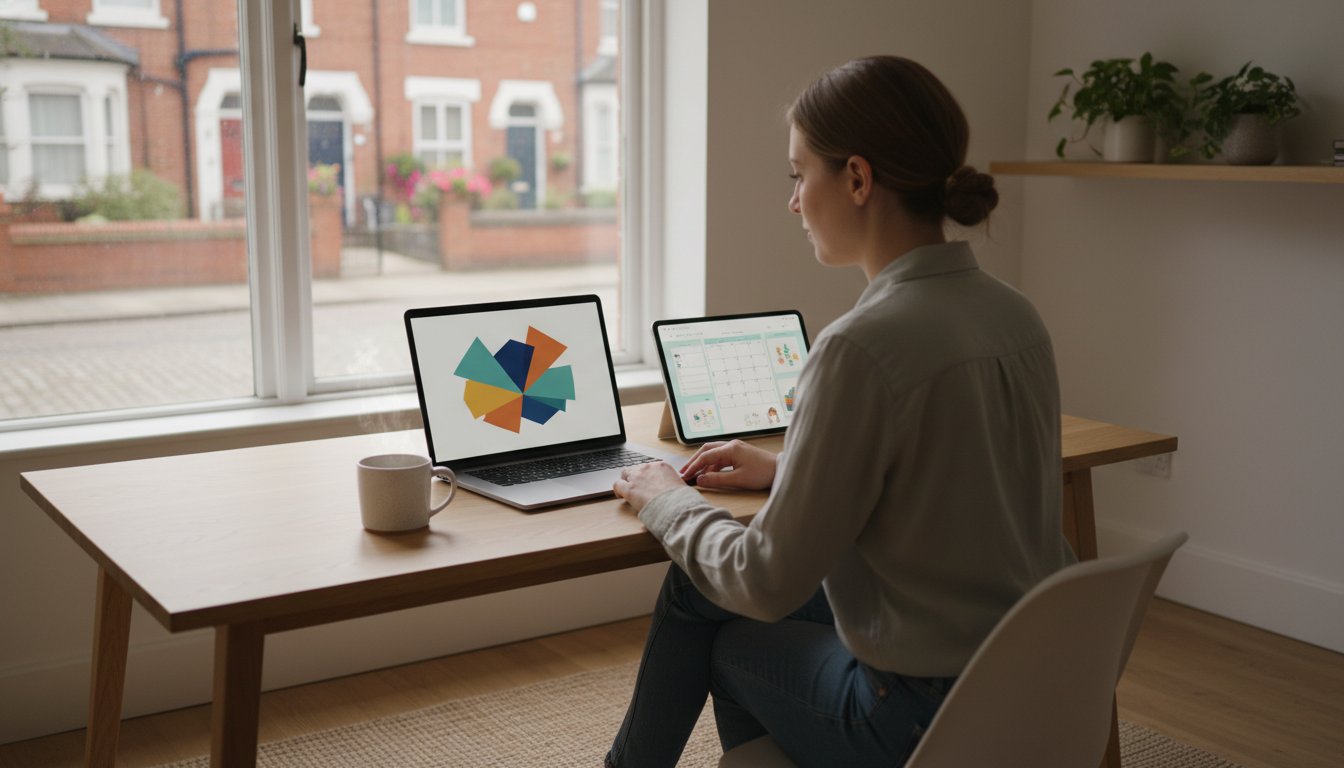
What if the secret to a high-converting shop isn't a complex graphic design degree, but a simple, calm workflow? You've likely felt that familiar pinch of overwhelm when staring at a blank screen, wondering why your listings look “cheap” compared to the top sellers. It's discouraging to create a beautiful digital product only to have it hidden behind a generic, spammy image. Learning how to create etsy mockups in canva doesn't have to be a tech-induced headache that keeps you stuck.
I promise that you can build a professional, trustworthy shop without the panic. You deserve a workflow that saves time and actually brings in sales. In this guide, we will walk through a repeatable process to make your digital items look like high-end lifestyle products. We will explore how to use Canva's AI-powered Magic Studio to simplify your design time and why adding video mockups can increase your conversion rates by up to 80% in 2026. Whether you are using the free version or the $15 monthly Canva Pro plan, you can create a shop that shines. Get ready to turn your “un-techy” fears into a gentle, successful hustle.
Key Takeaways
- Discover how to use mockups as a visual bridge that builds instant trust and helps customers imagine your digital file in their real lives.
- Choose between automated Smartmockups or manual staging to create a repeatable workflow that saves you time and prevents burnout.
- Master the technical side by learning exactly how to create etsy mockups in canva using the correct 2026 listing dimensions for a crisp, professional look.
- Unlock pro secrets for the modern market, including how to use video and AI tools to capture attention and boost your shop's click-through rates.
- Learn how to integrate your new design skills into a broader strategy for building a sustainable, calm passive income business.
Why Your Etsy Mockups Are the Key to a Calm, Profitable Shop
Think of your Etsy shop as a digital storefront. When a customer walks in, they shouldn't just see a file name or a flat graphic. They need to see a solution. A mockup acts as the visual bridge between a raw digital file and the customer's real-life problem. To understand the basics, you might look at what a mockup is in a broader design context; it's essentially a model of a design used for evaluation. On Etsy, a mockup is a strategic sales tool that visualizes the end result for the buyer.
Adopting a “Calm Creator” approach means building a business that doesn't leave you feeling frazzled. When you know how to create etsy mockups in canva that look professional, your seller anxiety drops. You aren't guessing if your listings look “good enough.” You have a system that builds instant trust. By May 2026, the Etsy landscape has shifted significantly. With the platform's total take rate reaching 16.8% in 2025, every click counts more than ever. Aesthetic staging is no longer an optional “extra”; it's a requirement to stay competitive in a crowded market.
The Psychology of the “Click”
Shoppers don't buy files; they buy feelings. When someone scrolls through Etsy, a well-staged mockup triggers an immediate emotional response. A “flat” file image looks like a computer task. A “lifestyle” mockup, however, shows a planner on a sun-drenched desk or art hanging in a cozy nursery. This visual storytelling reduces the friction between browsing and buying. Clarity and brand consistency across your shop lead to higher sales and fewer customer questions. When your shop has a cohesive look, shoppers feel safe and confident in their purchase.
Digital vs. Physical: The Mockup Advantage
Selling digital products like planners, wall art, or templates presents a unique challenge. Unlike a physical sweater, a digital template has no weight or texture. It requires more visual context to feel “real.” Mockups solve the “what am I actually buying?” objection by showing the product in action. If you're ready to master this transition, our Template Creators Society helps you build and scale with confidence. Learning how to create etsy mockups in canva ensures your digital items feel as tangible and valuable as any physical product on the shelf.
Canva Smartmockups vs. Manual Staging: Which is Best?
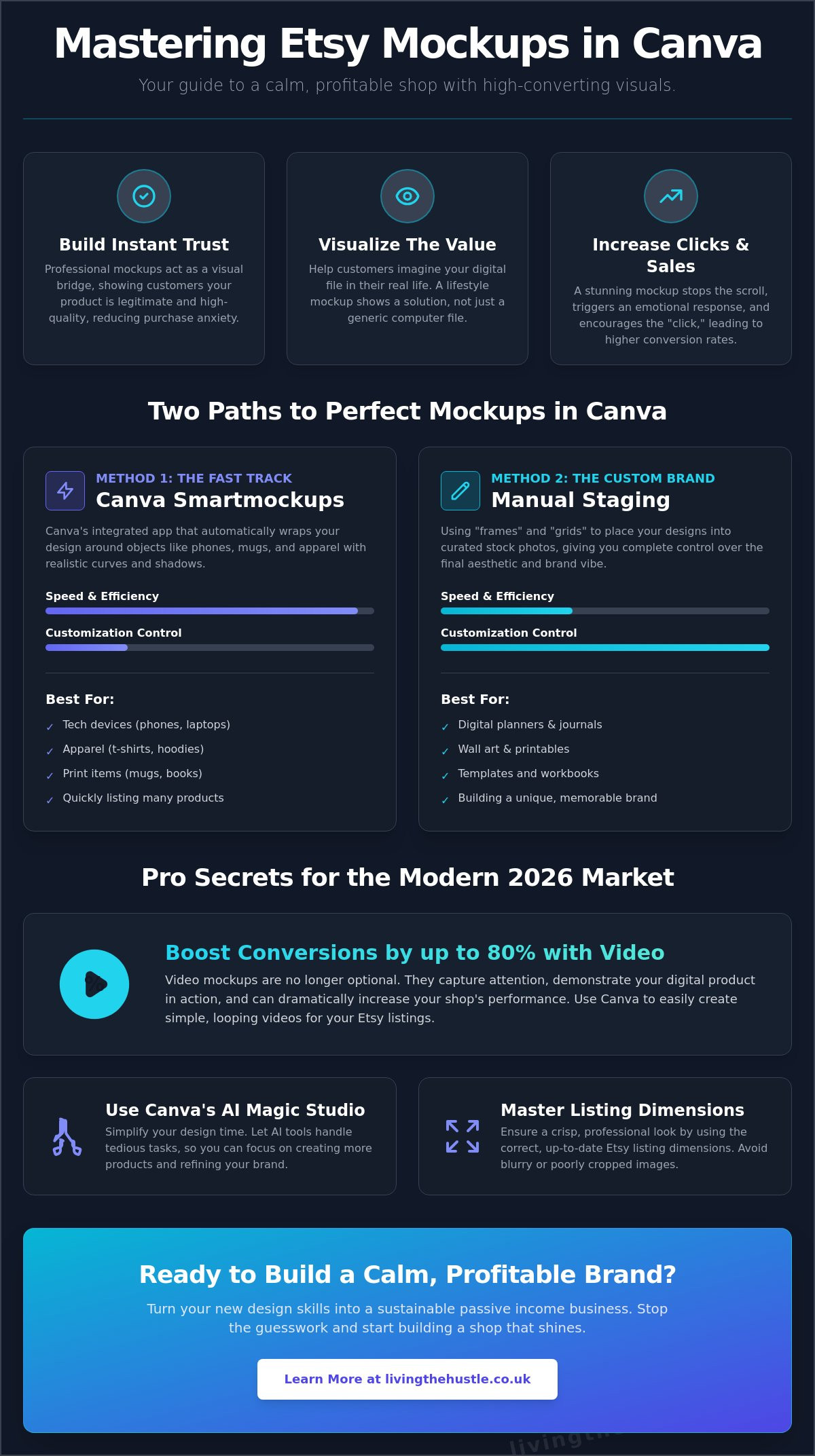
Deciding how to display your products is a big step in your shop's journey. You have two main paths inside Canva. One is automated and fast; the other is manual and highly custom. Neither path requires you to own a DSLR camera or a professional studio. In fact, most successful sellers in 2026 use a mix of both methods to keep their workflow efficient. Your choice depends on your specific passive income goals. Do you want speed to list items quickly, or do you want a unique look that stops the scroll? Understanding how to create etsy mockups in canva means knowing which tool to grab for the job at hand.
Method 1: Using Canva Smartmockups (The Fast Track)
Canva Smartmockups is an integrated app that does the heavy lifting for you. You can find it by selecting an image and clicking “Edit Image,” then searching for the Smartmockups section. It's the “Calm” workflow at its best. This method is perfect for tech devices, t-shirts, and simple mugs. You just click your design, and Canva wraps it realistically around the object, adjusting for curves and shadows automatically.
While it's incredibly fast, there's a trade-off. You have limited control over the background and the specific “lifestyle” elements. If you're using the $15 monthly Canva Pro plan, you get access to thousands of these templates. It's a great way to get your shop up and running without getting bogged down in technical details. It removes the friction of design, allowing you to focus on creating more products.
Method 2: Manual Staging (The Custom Brand Approach)
Manual staging involves using “frames” and “grids” to place your designs into pre-made stock photos. This is the “Creative” workflow. It's the best choice for digital planners, junk journals, and wall art where you want a specific “vibe” or aesthetic. You can find a beautiful stock photo of a desk, drop a tablet frame on top, and slide your design inside. This gives you the freedom to move elements around and add your own brand touches.
This method is vital for building a unique Etsy shop brand that stands out from the “cheap” or “spammy” look. As the National Association for the Self-Employed points out, the Importance of Visual Branding in E-commerce can't be overstated. It's what makes a customer choose you over a competitor. If you want to dive deeper into making your products look stunning, you might enjoy The Art of Design to help your shop truly shine. Learning how to create etsy mockups in canva manually gives you total control over the lighting and overall aesthetic of your listings.
Step-by-Step: How to Create Your First Etsy Mockup in Canva
You don't need to be a professional designer to create stunning visuals for your shop. It's a common misconception that high-quality listings require expensive software or years of training. In reality, learning how to create etsy mockups in canva is a series of small, manageable steps that anyone can master. Taking a methodical approach helps you avoid the “tech-induced overwhelm” and lets you focus on the joy of creating. Forbes reports that product image quality influences purchasing decisions for 90% of Etsy shoppers, so getting these steps right is a powerful way to grow your business.
- Step 1: Set Your Dimensions. Start by creating a custom design at 2700 x 2025 pixels. This 4:3 ratio is the gold standard for the Etsy grid in 2026.
- Step 2: Choose Your Base. Search for a high-quality stock photo that matches your brand vibe. Look for clean, well-lit spaces that feel inviting and calm.
- Step 3: Prepare Your Export. Always export your digital product as a high-resolution PNG. This ensures your design stays crisp and clear when you layer it onto your mockup.
- Step 4: Layer and Refine. Drop your PNG onto your base image. Use the “Edit Image” tools to add subtle shadows, making the digital file look like it's physically present in the scene.
Setting Up Your Canvas
Starting with the correct 4:3 ratio is vital for ensuring your listings look perfect on both mobile and desktop. When you use the “Calm Creators” mindset, you choose a color palette that doesn't scream for attention but gently invites the shopper to look closer. To keep your workflow smooth, organize your Canva folders by product type. This “no-panic” system ensures you can find your templates and base images in seconds, saving you precious time for your actual hustle.
Adding Realism with Shadows and Transparency
The “secret sauce” to a professional mockup is the use of shadows. Using Canva’s “Edit Image” shadow tools allows you to make digital pages look like they are sitting naturally on a desk. If you're showing a device, adjust the “Opacity” on screen glares to make the mockup look authentic rather than like a flat sticker. Before you finish, run through this quick checklist: Is the lighting consistent? Is the scale realistic compared to the background? Does the perspective match the angle of the photo? When you master how to create etsy mockups in canva with these details, your shop instantly feels more trustworthy.
3 Pro Secrets for 2026: Video, AI, and Brand Consistency
One of the biggest worries I hear from new sellers is that their shop looks messy. You might feel that because your mockups don't perfectly match, your brand looks “cheap” or unorganized. Let's be honest, a cluttered shop front can lead to seller overwhelm and choice paralysis for your customers. The good news is that learning how to create etsy mockups in canva with a few pro secrets can fix this instantly. By creating a Mockup Master Template, you ensure every listing looks like it belongs to the same family. This creates a cohesive brand identity that builds trust with your customers as they browse your collections.
- Secret 1: The Video Mockup. Static images are now the bare minimum. Adding movement captures the eye in a crowded search result.
- Secret 2: Magic Edit (AI). Use Canva's AI tools to swap out background elements like flowers or coffee cups to match the current season without a new photoshoot.
- Secret 3: The Master Template. Save your favorite layout with your brand colors and a “Patina Blue” accent, which is a top trending color for 2026.
Level Up with Video Mockups
Etsy prioritizes listings with video in 2026 search results. This isn't just a rumor; it is a strategic shift to keep shoppers engaged. Some data suggests that adding a video can increase conversion by up to 80%. To do this in Canva, head to the “Video” tab and search for aesthetic lifestyle clips. Find a 15-second clip of someone scrolling on a phone or writing in a journal. Use the “Drag, Drop, and Loop” technique to place your digital design over the video. It is a gentle way to show your product in action without needing any filming equipment.
AI-Enhanced Staging
Canva's Magic Studio has changed the game for small business owners. You can now use “Magic Media” to generate unique, un-copyable background scenes that perfectly fit your niche. If you have your own photos that feel a bit cluttered, the “Background Remover” tool can clean them up in one click before you place them into a fresh Canva scene. To see which visual styles are currently winning on the platform, check out our eRank guide for the latest trends. Mastering these AI tools gives you the confidence to compete with the biggest shops. If you're ready to turn these professional visuals into a sustainable business, our Passive Income Society Course can help you build your dream shop with purpose and calm.
From Mockups to Millions: Building Your Passive Income Business
You've now mastered the technical side of how to create etsy mockups in canva. This is a significant milestone in your journey as a digital creator. However, it's important to remember that beautiful visuals are just one piece of the puzzle. While your mockups capture the shopper's eye, a true “hustle” requires a long-term strategy for SEO and scaling to ensure your products actually reach the right audience. It's time to move from the phase of tinkering with designs to launching your shop with total confidence.
If you feel ready to go beyond the basics and build a sustainable income stream, the Passive Income Society is your next logical step. In a 2026 market where Etsy's total take rate from sellers has reached 16.8%, having a clear business plan is essential. This course helps you navigate those numbers while maintaining a sense of peace. You don't have to figure it all out alone; you can follow a proven path that respects your time and your well-being.
The “Purpose Over Panic” Launch Strategy
You can use your new mockup skills to create a cohesive shop launch in a single weekend. The key is avoiding the perfectionism trap that keeps so many talented creators stuck. Let's be honest; a “good enough” professional mockup that is live and searchable is infinitely better than a perfect design sitting in your Canva folders. Focus on getting your first few listings up. You can always refine them later as you learn what your customers love. You’ve got this, and we’re here to help you stay focused on progress rather than panic.
Your Gentle First Step
I invite you to explore the Blog, Brand & Bloom Workbook for a deeper dive into building a brand that feels like you. To improve your shop right now, here are three things you can do today:
- Update your primary listing image to the 2700 x 2025 px dimensions.
- Add a subtle drop shadow to one digital product to increase its realism.
- Ensure your brand colors are consistent across your top five mockups.
Join our community of calm creators today. We are building businesses that flourish without the burnout, and your journey is just beginning. Knowing how to create etsy mockups in canva was your first step; now let's build the rest of your dream together.
Your Path to a Professional, Stress-Free Shop
You now have the practical tools to transform your digital products into high-converting listings. By mastering how to create etsy mockups in canva, you’ve taken a huge step toward replacing tech panic with creative confidence. We’ve covered why sticking to the 2700 x 2025 px dimensions is vital and how adding simple video clips can give your shop a massive edge in the 2026 Etsy search results. These intentional, small changes build the instant trust needed to turn a casual browser into a loyal customer. You are no longer just selling a file; you are presenting a professional, polished solution.
Building a business shouldn't feel like an endless uphill battle. Ready to build a digital product business that actually sells? Join the Passive Income Society today! As our most popular course for aspiring Etsy sellers, it's designed specifically for total beginners with zero design experience. We focus on a calm and sustainable business model that lets you grow at your own pace without the burnout. You've already done the hard work of learning the basics. Now it's time to launch with purpose and watch your gentle hustle bloom. You've got this.
Frequently Asked Questions
Can I create Etsy mockups in Canva for free?
Yes, you can use the free version of Canva to create high quality mockups for your shop. The free plan provides 5GB of cloud storage and a wide selection of basic design tools and frames. While you won't have access to the 100M+ premium assets found in the $15 monthly Pro plan, you can still upload your own stock photos and use free elements to stage your digital products beautifully.
What size should Etsy mockup images be in 2026?
The ideal size for Etsy mockup images in 2026 is 2700 x 2025 pixels. This specific 4:3 aspect ratio ensures your listings look crisp and professional on both mobile devices and desktop browsers. Using these dimensions prevents your images from being awkwardly cropped in the Etsy search results, which helps maintain a calm and cohesive shop aesthetic for your visitors.
How do I make my digital products look realistic in Canva?
You can add realism by using the “Edit Image” shadow tools and adjusting the opacity of your layers. Adding a subtle drop shadow makes a digital page look like it is physically resting on a wooden desk or paper surface. For device mockups, lowering the transparency of a screen glare to between 20% and 30% creates an authentic look that builds instant trust with your shoppers.
Where can I find free stock photos for Etsy mockups?
You can find high quality, free stock photos directly within the Canva “Elements” tab by filtering your search for free content. Additionally, sites like Pexels and Unsplash offer thousands of royalty free images that are perfect for staging digital items. Always look for clean, minimalist backgrounds that allow your digital product to be the main focus of the listing without causing visual overwhelm.
Do I need Canva Pro to make professional mockups?
You don't strictly need Canva Pro, but the $15 monthly subscription offers significant advantages for a growing side hustle. Pro users gain access to the one click background remover tool and the AI powered Magic Studio, which simplifies the entire design process. If you are just starting, the free plan is a gentle way to learn how to create etsy mockups in canva without any upfront financial pressure.
How many mockup photos should I have per Etsy listing?
You should aim to use all 10 available photo slots provided by Etsy for every listing you create. Including a variety of shots, such as close ups of specific features and lifestyle staging, helps answer customer questions before they are even asked. Data suggests that shops using all 10 slots often see a 25% increase in customer confidence compared to those with only one or two images.
Can I use Canva mockups for commercial use on Etsy?
Yes, Canva's licensing allows you to use their templates and elements to create mockups for your Etsy shop listings. However, you must ensure you are following their specific terms, which means you cannot resell the standalone stock photos or templates as your own products. Using how to create etsy mockups in canva to showcase your unique digital designs is a perfectly safe and legal way to build your brand.
What is the best way to show a digital planner in a mockup?
The most effective way to show a digital planner is by using a combination of tablet mockups and “spread” views. Show the planner on an iPad screen within a lifestyle setting, then include additional images that highlight specific pages like the monthly calendar or habit tracker. This approach helps the buyer visualize exactly how they will use the planner in their daily routine, making the purchase feel like a gentle solution.